¶ Z projection on OMERO.iviewer
OMERO.iviewer allows to do a MAXIMUM intensity projection only, under the following conditions
- The image isn't larger than 2048 x 2048 pixels
- The image isn't heavier than 268 MB
Those conditions are here to not overload the server, as the projection is done on-the-fly.
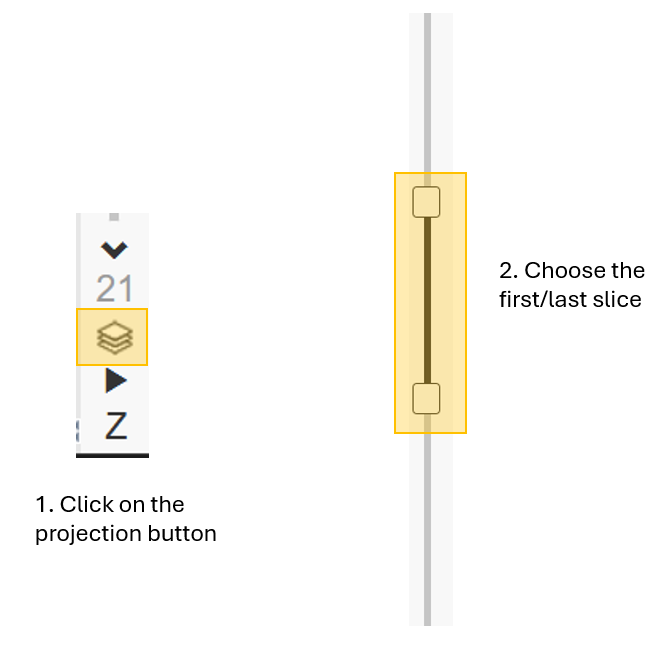
In case the projection cannot be done directly on iviewer (the icon is greyed and not clickable), then, you can try to use the python script (see below).
¶ Z projection with a Python script
To by-pass the limitation of OMERO.iviewer, a python script, is available under the main scripts -> utils scripts -> Intensity Projection. You can choose to do a MAXIMUM or a MINIMUM projection, over the entire z stack or over selected slices. The projected image is added next to the stack, under the same dataset, and tag / key-value pairs are attached to it.
Documentation is available on GitHub
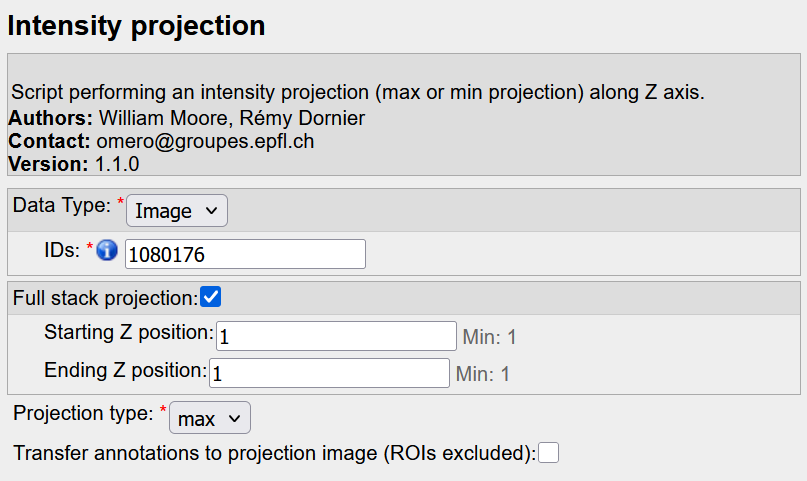
Theoretically, there is no limit on image size but... it may happen than the image is still too large, and your are reaching the memory limit of the server, with an error Reaching memory limit / ArrayOutOfBoundException. If this is the case, then, you can try to use the Fiji script (see below).
¶ Z projection with a Fiji script
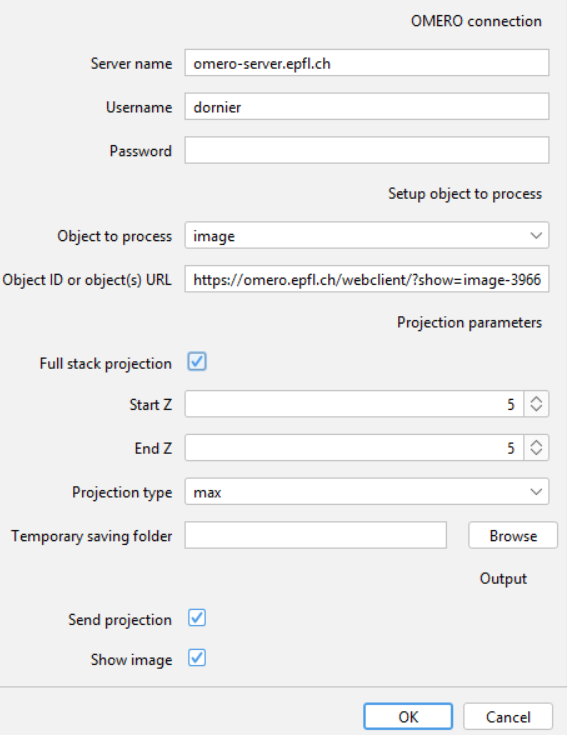
To by-pass the memory limit of the python script, a Fiji script, using the build-in projector plugin, is available on GitHub.
This script gets the image(s) from OMERO, do the projection, and sends back the projection image to OMERO, with tags and key-values pairs (same outputs as the python script).
To use the script, simply download it, open it on Fiji, and run it. In the UI, fill the different fields (image URLs, projection parameters, output folder). Then press OK.