¶ Installing QuPath
Install the latest version of QuPath from https://qupath.github.io/
¶ BIOP-flavor installation
The BIOP uses QuPath extensively and thus an installation with many extra plugins is provided.
- Copy the latest
QuPath Common Datafolder from
Win :
\\sv-nas1.rcp.epfl.ch\ptbiop-raw\public\0-Software\QuPathMacOS :
smb://sv-nas1.rcp.epfl.ch/ptbiop-raw/public/0-Software/QuPath
-
Paste the
QuPath Common Datafolder somewhere permanent on your computer. We recommend yourC:\drive directly or yourDocumentsfolder on Mac -
From QuPath, go to
Edit > Preferences... -
Under
Extensions > QuPath user directorydouble click toQuPath Common Data
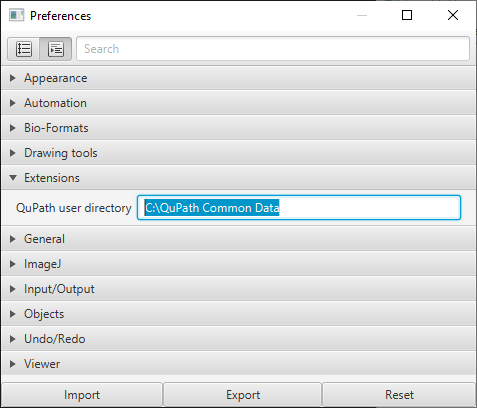
-
Restart QuPath
-
To see it it worked, go to
Extensions > Installed Extensionsand locate BIOP QuPath Extension
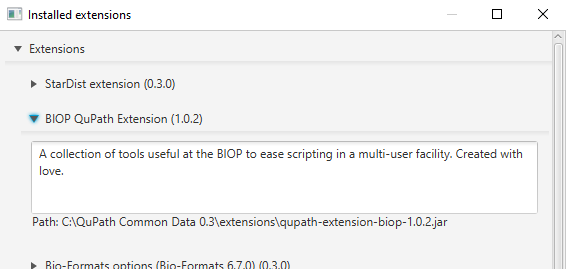
Warning: In step 4, point it to the
QuPath Comon Data folderand not theextensionsfolder inside